
 By Declan Barry
QR Code Payments in Japan: What Tourists Can Actually Use
Japan's reputation as a cash-based society is slowly changing, but the digital payment landscape remains confusing for visitors. While credit cards have gained acceptance at major chains, QR code payments have exploded in popularity among locals. The question is: which ones can you actually use as a tourist?
The short answer is that most Japanese QR payment systems are designed for residents with Japanese bank accounts. However, a few options exist for international visitors, and understanding the landscape helps you decide whether to bother at all.
Understanding Japan's QR Payment Ecosystem
Unlike China's WeChat Pay and Alipay duopoly, Japan has dozens of competing QR payment systems. PayPay dominates with roughly 60% market share, followed by Line Pay, Rakuten Pay, au PAY, d Payment, Merpay, and countless others. Most small businesses that accept QR payments display a rainbow of stickers near their till.
This fragmentation creates problems even for Japanese residents, who often carry multiple payment apps. For tourists, it's worse. Most systems require:
- A Japanese phone number for registration
- A Japanese bank account or credit card to load funds
- A Japanese residence address for identity verification
These requirements eliminate most visitors from using PayPay, Line Pay, Rakuten Pay, and other domestic services. The exceptions are worth knowing about.
PayPay for Tourists: The Main Option
PayPay, Japan's largest QR payment service, launched a tourist-friendly version in 2023 that foreign visitors can actually use. Here's what you need to know:
How to set it up:
- Download the PayPay app before arriving in Japan
- Register using your passport details and overseas phone number
- Link an international credit card (Visa, Mastercard, American Express, Diners Club, or Discover)
- You're ready to scan and pay
No minimum charge exists, and no top-up is required. When you scan a QR code at a shop, the charge goes directly to your linked credit card. PayPay adds a small foreign transaction fee (around 2.5%), but many international credit cards charge their own fees anyway.
Where it works: PayPay is accepted at over 3.7 million locations across Japan. Major chains like FamilyMart, Lawson, 7-Eleven, Matsumoto Kiyoshi drugstores, Bic Camera, and Yodobashi Camera all take it. Many independent restaurants and shops in Tokyo, Osaka, Kyoto, and other major cities display the distinctive red PayPay logo.
Tokyo
Tokyo Tower
Reminiscent of the Eiffel Tower, this landmark features observation areas & other attractions.
Open in Maps ↗Osaka
Osaka Castle
Revered castle dating to 1597 & since rebuilt, featuring gardens & a museum with varied exhibits.
Open in Maps ↗Smaller towns and rural areas have less coverage, but anywhere you see the PayPay sticker, the tourist version works identically to the local version.
The catches: You cannot use PayPay for online purchases from overseas. Some promotional campaigns that offer cashback to Japanese users exclude foreign-registered accounts. The app interface defaults to Japanese, though you can change it to English in settings.
Alipay and WeChat Pay: If You Already Have Them
If you're visiting from China (or already use these services), both Alipay and WeChat Pay work at many Japanese merchants. Adoption has grown significantly since 2019 to attract Chinese tourists.
Major department stores, electronics retailers, drugstores, and tourist-heavy areas in Tokyo's Shinjuku and Ginza districts, Osaka's Dotonbori, and Kyoto's Gion display Alipay and WeChat Pay logos alongside other payment options.
Osaka
Dotonbori
Lively entertainment district known for its soaring illuminated billboards, restaurants & theaters.
Open in Maps ↗These work through your existing Chinese bank account or balance. If you don't already have these apps set up with funding sources, they're not worth creating specifically for a Japan trip. PayPay offers broader coverage for non-Chinese visitors.
Apple Pay and Google Pay: The Confusion
Many tourists assume Apple Pay and Google Pay work like QR payments. They do work in Japan, but through different technology. When you tap your iPhone or Android phone at a payment terminal, you're using NFC contactless payment (specifically, Japan's Felica standard for contactless cards).
This isn't QR code payment, and the coverage differs. Some small shops that enthusiastically display QR code stickers have no contactless payment terminal at all. Others accept contactless but not QR codes.
For tourists, Apple Pay and Google Pay work brilliantly at:
- All convenience stores (tap at the till)
- Train station ticket machines and IC card top-up machines
- Vending machines with contactless readers
- Most major chain restaurants and shops
- Taxis with modern payment systems
You can also add a Suica or Pasmo transit card to Apple Pay or Google Pay, which functions as your train and bus pass. This is actually more useful than any QR payment system for most tourists.
Where QR Payments Actually Matter
Here's the practical question: should you bother setting up PayPay as a tourist?
Skip it if:
- You're only visiting major cities and using credit cards
- You're happy carrying cash (ATMs are everywhere)
- You find app registration tedious
- Your trip is under one week
Consider it if:
- You hate carrying cash
- You're visiting smaller cities where fewer places accept credit cards
- You'll eat at small independent restaurants (many accept PayPay but not cards)
- You're staying longer than two weeks
- You enjoy trying local technology
The real advantage appears at tiny ramen shops in Kyoto's backstreets, family-run izakayas in Osaka's Shinsekai, and small retailers in Fukuoka's shopping arcades. These places jumped on QR payment systems like PayPay because the hardware costs nothing (just print a QR code), unlike credit card terminals with monthly fees and transaction percentages.
Osaka
Shinsekai
Bustling, colorful district created in 1912 with a 103-m tower, restaurants & souvenir shops.
Open in Maps ↗Fukuoka
Fukuoka Tower
Modern skyscraper with an observation deck for panoramic city & bay views, plus dining & a lounge.
Open in Maps ↗The Cash Reality
Despite digital payment growth, Japan remains substantially cash-based compared to other developed nations. The Bank of Japan reports that cash accounts for roughly 70% of consumer transactions by volume.
This isn't backwardness. Japan's cash infrastructure works brilliantly:
- ATMs are everywhere (every convenience store, most post offices, major stations)
- Crime rates are low, making cash safe to carry
- Cash machines at 7-Eleven accept most foreign cards (¥220 fee per withdrawal)
- Many people prefer the budget control that physical money provides
You'll definitely need cash for:
- Small temples and shrines (offering boxes are cash-only)
- Many traditional restaurants, especially in Kyoto
- Local buses in smaller cities
- Street food vendors and market stalls
- Some guesthouses and ryokans
- Coin lockers at stations
- Older taxis (newer ones accept cards and contactless)
Even if you set up PayPay, carry at least ¥10,000 in cash at all times. ¥1,000 notes are most useful for small purchases.
Credit Cards vs QR Payments: The Comparison
For tourists, standard credit cards often work better than QR payments:
Credit cards:
- No setup required
- Widely accepted at chains, hotels, major restaurants
- No foreign transaction fees (with the right card)
- Better fraud protection
- Work immediately without phone battery or signal
QR payments (PayPay):
- Accepted at some small shops that refuse credit cards
- Slightly faster at busy convenience stores
- Transaction history in the app
- Some small cashback offers
- Requires charged phone and working app
The overlap between credit card acceptance and PayPay acceptance is probably 80%. PayPay's advantage is the remaining 20%, small independent businesses.
Regional Differences
QR payment adoption varies across Japan:
Tokyo: Extremely high coverage in all 23 wards. Even small shops in residential areas like Nakameguro and Koenji accept PayPay. Foreign tourists might genuinely leave their wallet at the hotel.
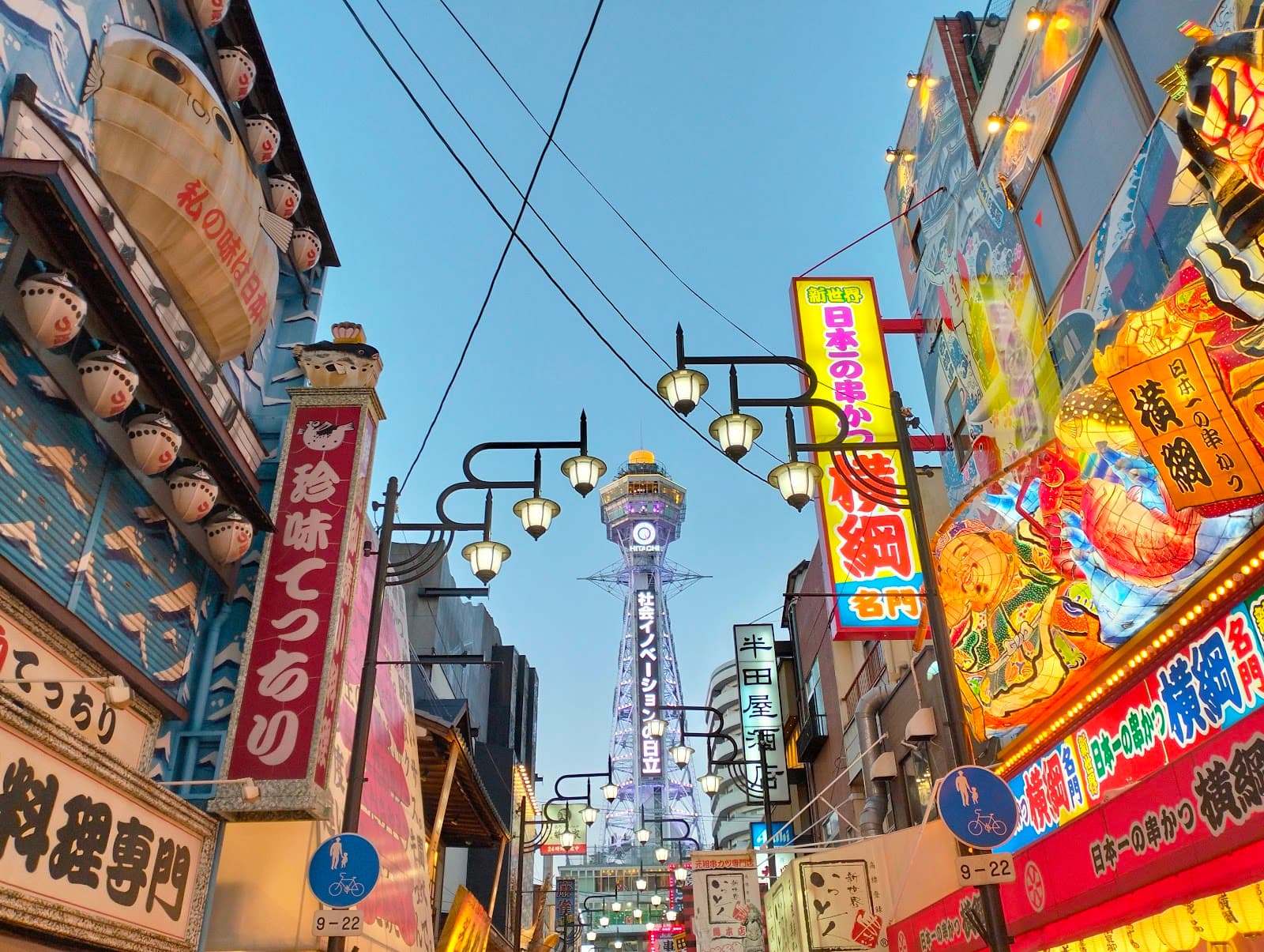
Osaka: Similar to Tokyo. Dotonbori, Namba, and Umeda have near-universal acceptance. Shinsekai's nostalgic working-class neighbourhood shows surprising QR payment adoption.
Kyoto: Mixed. Modern areas around Kyoto Station accept everything. Traditional areas in Higashiyama and around major temples are hit-or-miss. Many traditional restaurants remain cash-only regardless of size.
Fukuoka: Very good coverage, especially in Tenjin and Hakata districts. The city has actively promoted cashless payment.
Rural areas and small towns: Spotty coverage. Major chain stores accept PayPay, but family businesses often remain cash-only. Don't rely on it in places like Takayama, Shirakawa-go, or small onsen towns.
Setting Up PayPay: Step-by-Step
If you've decided to try it:
Before leaving home: Download PayPay from your app store. Registration is easier with a stable internet connection.
Registration: Select the option for foreign users. Enter your passport number, name exactly as shown in your passport, and your home country phone number (including country code).
Link your card: Add an international credit card. Visa and Mastercard work most reliably. The app will charge ¥1 to verify the card, then refund it.
Language settings: Change the app to English via settings if needed.
First use: At a shop displaying the PayPay logo, tell the staff "PayPay" and open your app. Tap the scan button and point your camera at the merchant's QR code. Enter the amount (the merchant tells you), and show them the confirmation screen.
The whole process takes about 10 minutes to set up, then 20 seconds per transaction once you're comfortable.
Common Problems and Solutions
"My international card won't link": Try a different card. Some banks block Japanese payment app authorisations. Visa and Mastercard have higher success rates than American Express.
"The app says service unavailable": Your account may need verification. Contact PayPay support through the app. Having your passport handy helps.
"The merchant's QR code won't scan": Ensure the code isn't behind scratched plastic or too small. You can manually enter the merchant number shown below the code.
"I'm charged twice": Check your transaction history. Most "double charges" are the ¥1 verification charge, which refunds automatically.
The Bottom Line
QR code payments in Japan as a tourist are possible but optional. PayPay's foreign visitor version works reasonably well, but you'll never have the seamless experience that Chinese tourists enjoy with Alipay or WeChat Pay, or that Japanese residents have with their domestic payment systems.
The most practical payment strategy for tourists combines:
- One or two credit cards (Visa or Mastercard)
- Cash (always have ¥10,000-20,000)
- Apple Pay or Google Pay for contactless payments and Suica
- Optionally, PayPay for those small restaurants and shops
This combination covers essentially 100% of situations. QR payments are a nice addition, not a necessity. If the idea of downloading another app and linking cards feels tedious, skip it entirely. Japan's cash and credit card infrastructure remains perfectly functional for foreign visitors.